

Best Live Stream Downloader – Kigo Movie One
With real-time interaction and stronger audience engagement, live streaming has become an important part of entertainment, education, and online communication. According to a 2025 analysis report from the DemandSage, "more than 28.5% of internet users worldwide watch live streams at least once a week". However, many live streams are temporary and may not be available for replay after the broadcast ends. How can I download this live stream before it ends? A reliable live stream downloader can help preserve live sports and events, archive valuable content, and save memorable broadcasts for convenient viewing later.
Kigo Movie One is a professional live stream downloader that allows you to save live stream videos simply by pasting the video link into the program. In this article, we'll show you how to download live streams using Kigo Movie One with a step-by-step guide, and answer some frequently asked questions to help you easily preserve your favorite live stream content. Let's get started!
Part 1. Why do you Need Live Stream Video Downloader?
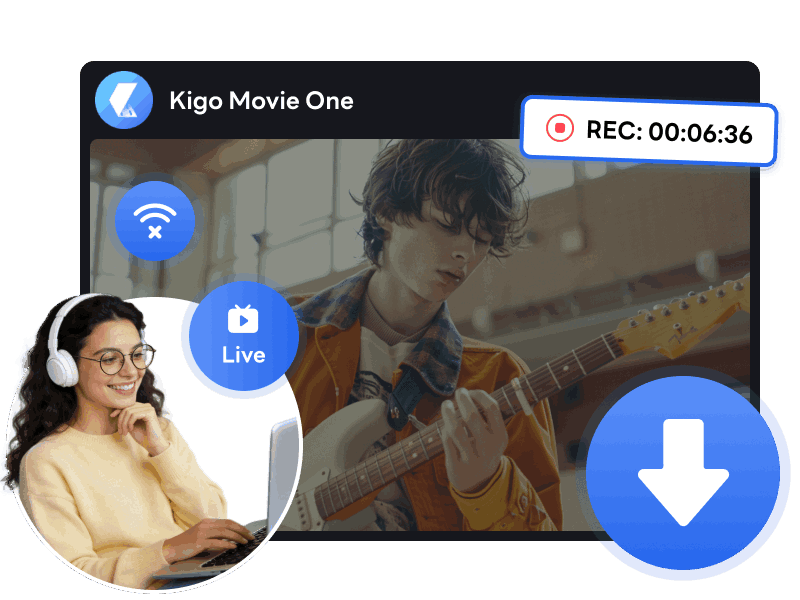
Many screen recorders don't support live streams and will crash or show errors.
Screen recorders are perhaps the most common tools for capturing online video. While they work in most cases, they often fail when it comes to live streams. When you attempt to record from YouTube, Twitter, Instagram, Tiktok…, it always results in a black screen.
Kigo live stream downloader is the perfect solution. It supports quality-loss streaming video recording at up to 8x speed. Whether you are saving on-demand content or DRM-protected live streams, Kigo helps you bypass recording errors to secure high-quality, ad-free videos for offline viewing—safely and effectively.
Free Download Free DownloadPart 2: Benefits You Can Get from Kigo Live Stream Downloader
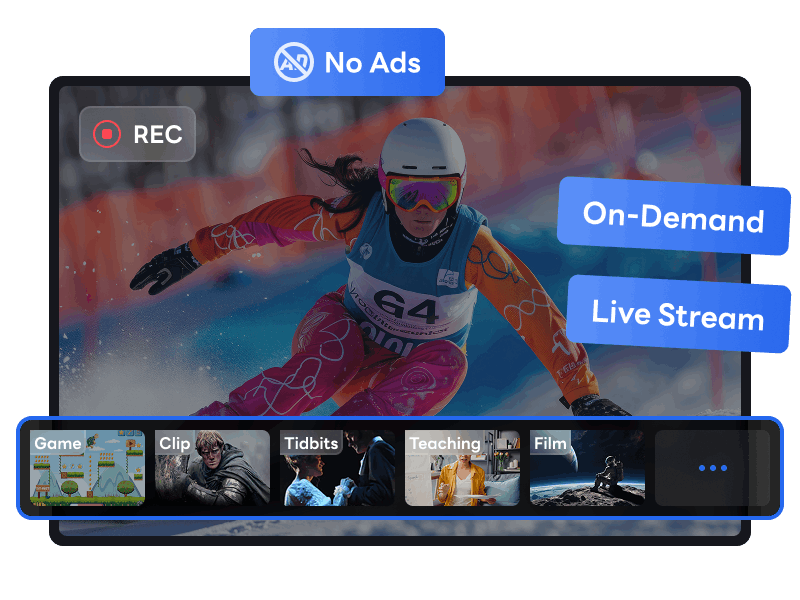
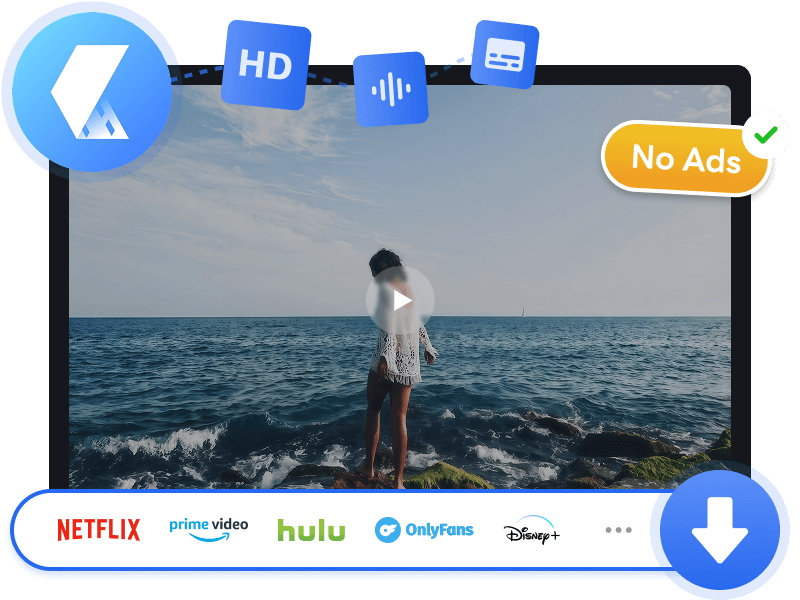
Record Any Streaming Video - On-Demand, No Ads
Many online video platforms may have restrictions on recording during live streams for various purposes, such as copyright protection. Kigo live stream downloader bypass these limits, allowing you to capture all types for live streams (for example: game streams, video clips, new broadcasts, sports live, educational streams and etc) as you wish in MP4 for offline watching.
Whether you are recording from YouTube Live, Twitch, TikTok, Facebook, or Amazon Live, Kigo automatically detects the video playback window and skips all advertisements. The result is a "clean," high-quality download containing only the content you want.
8X Faster Recording Speed – Downloads Finish in Minutes
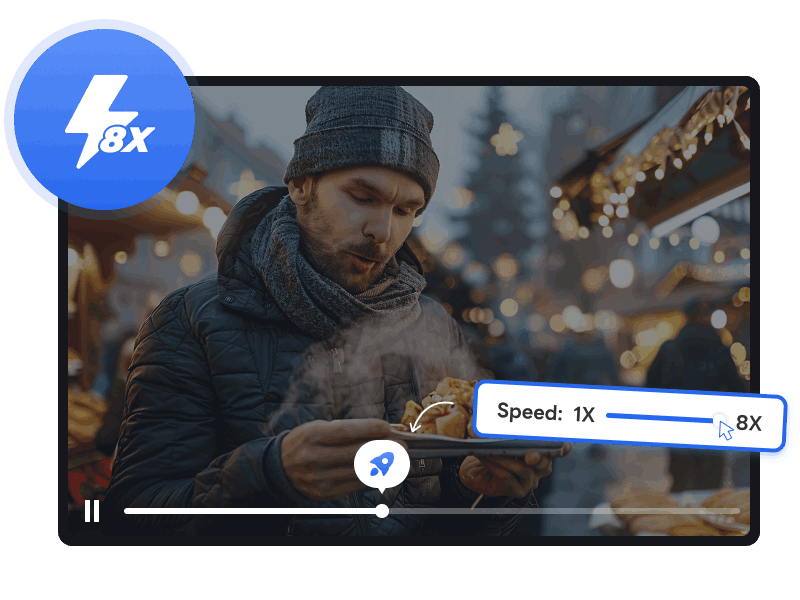
In the past, you may have had to endure the frustration of downloading live streams at a slow, 1x recording speed. With the Kigo Live Stream Downloader, that experience has been completely upgraded. Powered by advanced technology and GPU acceleration, the program significantly boosts recording efficiency, reaching speeds up to 8x faster.
For long-form events or sports replays, Kigo can complete a full recording in just one-eighth of the video's total duration. For example, a two-hour video can be downloaded in approximately 15 minutes. You can also customize the recording speed to fit your needs, with options ranging from 1x, 1.25X, 1.5X, 2X, 3X, 4X, 5X to 8x.
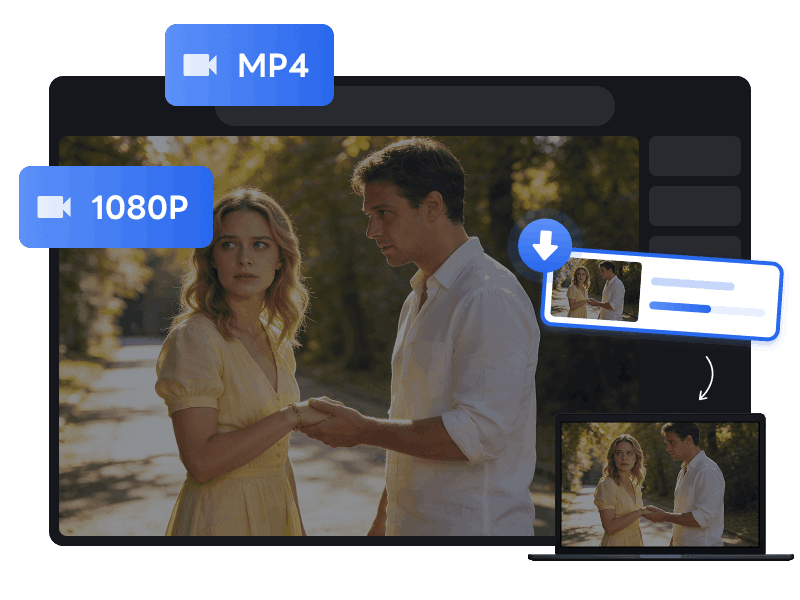
1080p Full HD Video Downloads – Don't Miss Every Detail
A premium offline viewing experience depends heavily on video quality. Higher quality means preserving intense detail, fluid frame rates, and vibrant color accuracy. Kigo live stream downloader supports recording live streams at up to 1080p, ensuring every frame is captured with stunning clarity. Even if the live stream’s quality drops due to an unstable internet connection, the program can maintain a consistent 1080p output.
The choice is always yours. Whether you prioritize maximum visual fidelity or need to save storage space, Kigo offers the flexibility to choose resolutions ranging from 480p to 1080p, allowing you to perfectly balance quality and file size.
Smart Recording Control – Work in Silent, No Disturb
Kigo live stream downloader features an embedded browser, allowing you to navigate, interact, and select what you want to record with ease. Simply paste your URL, wait for the analysis, and export your favorite live stream as an MP4 for offline viewing.
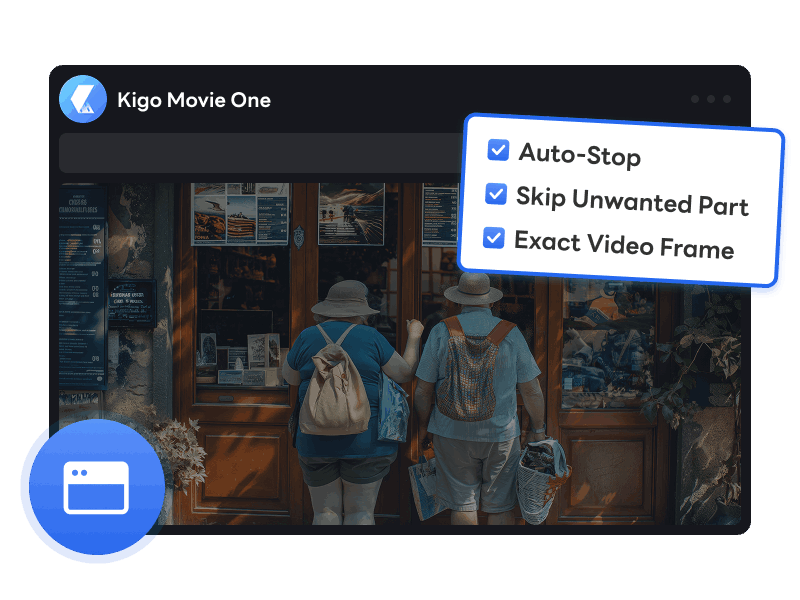
Before recording live streams online, you can preset the recording duration, so the program stops and saves the video automatically. Once recording starts, Kigo live stream downloader detects and records the precise video area on the platform. You are free to pause playback, drag the progress bar, or even switch tabs during the process—none of these actions will interfere with your recording. Kigo just delivers clean, high-quality MP4 content in no time!
Download Videos from Over 1,000 Streaming Platforms
Beyond live streams, Kigo Movie One enables you to download your favorite movies and TV series from Netflix, Amazon Prime, Disney+, Max, Hulu, Paramount+, YouTube, Crunchyroll and over 1,000 other platforms—all in one place. It can be used an all-in-one streaming video recorder.
Whether you're looking to download movies, TV series, live streams, event replays, memorable broadcasts, behind-the-scenes extras, or bite-sized clip, Kigo Movie One is the ultimate solution. It saves all your favorite on-demand and live videos to MP4 in high quality, allowing for offline viewing anytime, anywhere.
Other Features
Background Recording
Record videos in the background without interrupting your workflow or browsing.

Capture Only Video Frame
Automatically detects and records the specific video window instead of your entire screen.

Smart Recording
Record begins and ends automatically alongside your video playback for a hands-free experience.
Part 3: How to Use Kigo Live Stream Downloader?
Below is a step-by-step guide to downloading live streams, using Twitch as an example. To get started, download and install Kigo Movie One on your computer.
- Step 1 Switch to Record tab
- Step 2 Paste the URL
- Step 3 Start recording live stream video
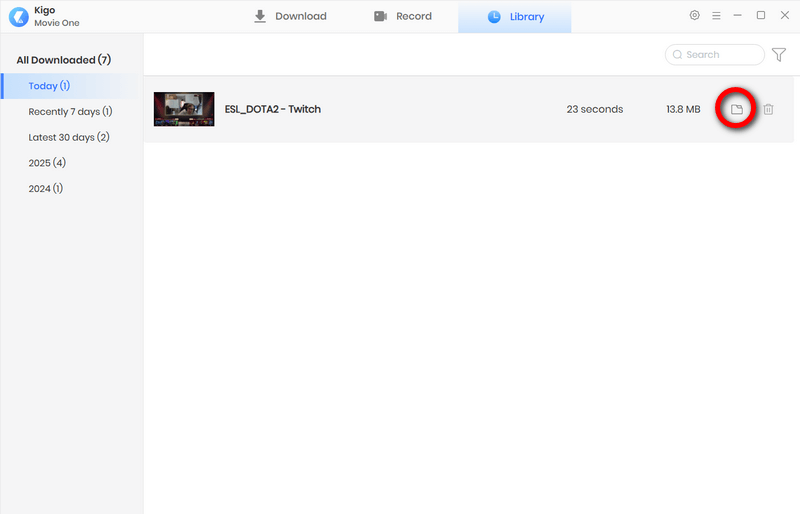
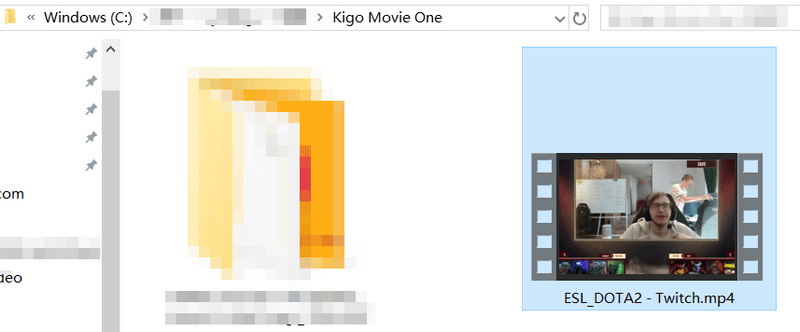
- Step 4 Find downloaded live stream video in MP4
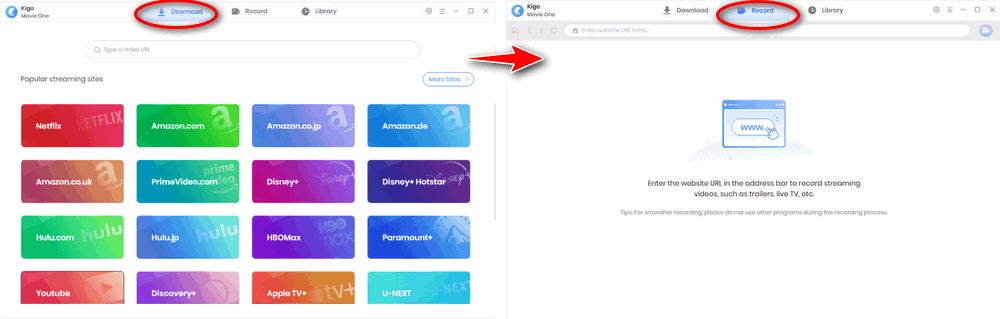
Once launched, the app defaults to the Download tab, which displays the video streaming sites that help you download videos conveniently. To record a live stream, click the Record tab located in the top navigation bar.
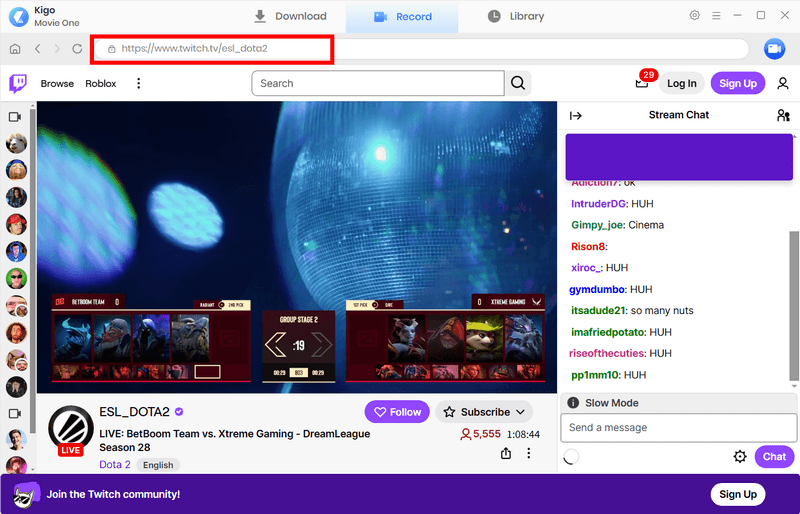
Visit the site where the live stream is hosted and paste the URL into the search bar at the top of Kigo Movie One. Within the built-in browser, you can now log in, browse, search, and play videos. Once you find the video you want, you're ready to record.
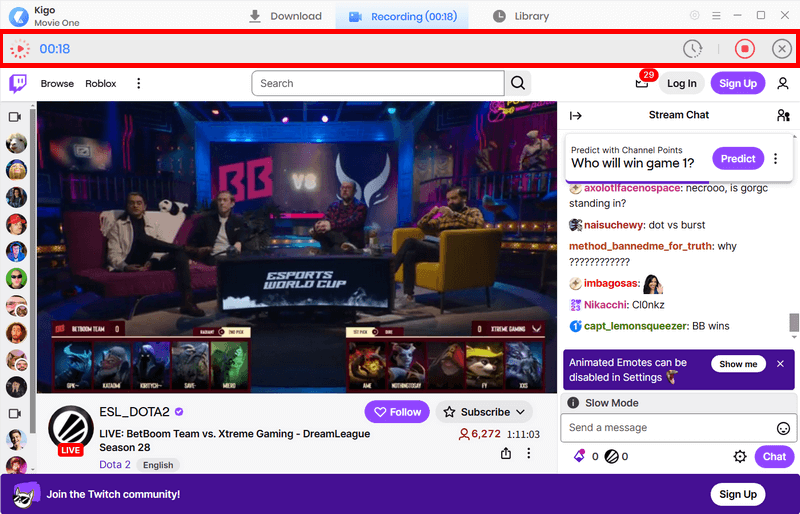
Click the 'Record' icon in the top-right corner. Kigo Movie One will automatically detect the video length, then finish and save the recording for you.
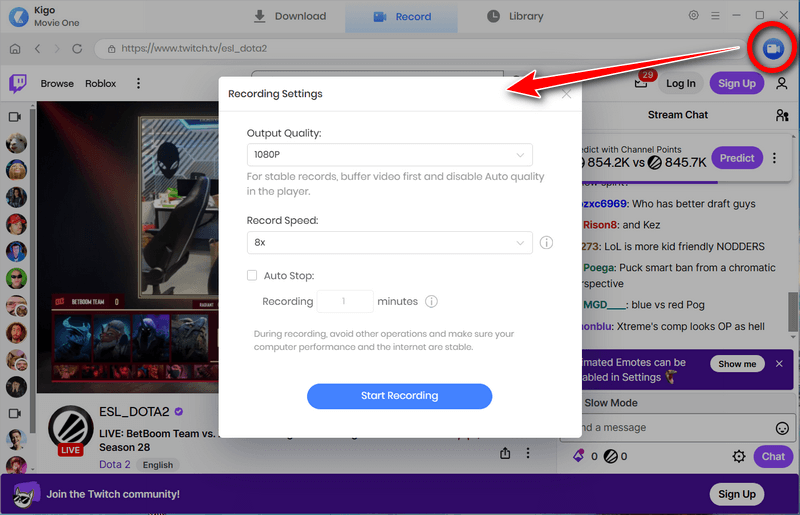
If you prefer to record a specific duration, you can manually set a stop time in the Record Settings panel. There, you can also customize the output quality (up to 1080p) and recording speed (up to 8x).
Once the recording is finished, you can find the live stream video in the Library panel. Click the folder icon beside the video to go directly to the destination folder, where you can watch your MP4 video using any media player.
Part 4: What Our Users Say Kigo Live Stream Downloader
4.9
What Our Clients Say
Kigo Movie One is loved by millions of users for its excellent download capabilities and user-friendly interface.
Part 5: FAQs about Downloading Live Streams
Q1: Why can’t I record video on live streaming site?
Some tools may only capture audio when recording live streams, which is typically due to copyright protections and DRM encryption. You can give Kigo live stream downloader a try. It is designed to bypass these limitations, allowing you to record all types of live content—including DRM-protected videos—seamlessly and in high quality.
Q2: Can I just download parts of the live stream?
With Kigo live stream downloader, you can download parts of live stream you need. The program allows you to drag the timeline to skip unwanted content, ensuring you get the exact video you want once the recording is finished.
Q3: Is it legal to download live streams?
We strongly advise against downloading live stream content for commercial purposes; Kigo Movie One is intended for personal use only. While downloading content for private, offline viewing is often considered a 'gray area,' it is essential to always respect the platform's Terms of Service and adhere to local copyright laws.
Conclusion
Whether you want to download live streams from YouTube, Twitter, TikTok, and Twitch, or record educational sessions, sports events, game streams, and news broadcasts, Kigo Movie One is the right live stream downloader for you. With 8x recording speeds and 1080p quality preservation, it records any live stream or on-demand video effectively. Download Kigo Movie One today and save your favorite streams before they are set to private!

Simon Durden | Editor-in-Chief
Simon Durden is the Editor-in-Chief at KigoSoft, specializing in music, video download and conversion. Before joining to KigoSoft, he served as a senior writer with the Any Video Converter Team. With extensive knowledge of music, video streaming platforms and expertise in video editing, Simon delivers high-quality content, expert tips, and in-depth tutorials in the multimedia field.