
KigoSoft Introduces Spotify Converter, Advancing Its Streaming Music Technology Portfolio
[January 4, 2026] - KigoSoft, a technology company with more than 20 years of experience in streaming software development, today announced the official release of Kigo Spotify Converter, a standalone product developed from its flagship Kigo Music One solution. Designed specifically for Spotify users, Spotify Converter provides a professional yet easy-to-use solution for downloading Spotify music and video content, enabling users to enjoy offline playback with greater convenience and flexibility.
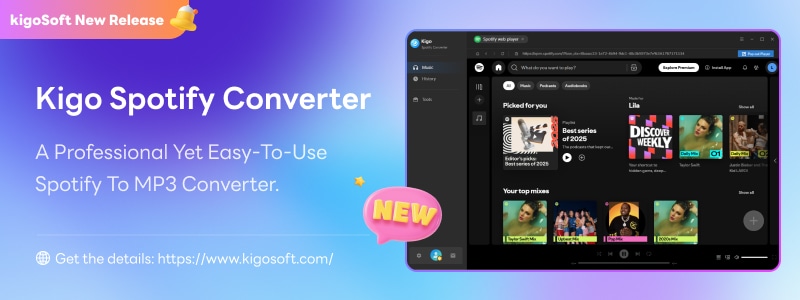
As one of the world's most widely used music streaming platforms, Spotify is the preferred choice for millions of users to stream songs, albums, audiobooks, and podcasts online. However, offline listening remains limited by platform restrictions. To address this need, Kigo Spotify Converter was developed to provide Spotify users with a simple and reliable way to convert music and video content into DRM-free files on Windows and Mac, enabling greater flexibility in offline playback.
Key Features of Kigo Spotify Converter
Two download modules that allow users to balance conversion speed and output quality based on their needs.
Multiple audio output formats, including MP3, WAV, M4A, FLAC, AIFF, and ALAC.
High-quality audio preservation, supporting up to 24-bit lossless quality and offering bitrate options up to 320 kbps and sample rates up to 48 kHz.
Video content support, enabling the download of Spotify video podcasts and music videos in MP4 format for offline viewing..
Batch downloads with conversion speeds of up to 10× faster for improved efficiency.
Full compatibility with Spotify Free and Premium accounts, delivering a consistent and seamless user experience among all Spotify users.
Beyond its core Spotify conversion capabilities, Spotify Converter also includes a practical set of built-in tools designed to support everyday music management needs. These tools include an AA/AAX converter for converting Audible audiobooks to MP3, M4A, or WAV formats, a format converter for transforming local audio files between common formats, and an ID3 tag editor that allows users to customize track metadata such as title, artist, and track number. Together, these features help users organize and manage their audio libraries more efficiently, reducing the need to rely on multiple applications.
How to Use Kigo Spotify Converter in Simple 3 Steps?
- Step 1 Choose Your Music
- Step 2 Set Your Output Preferences
- Step 3 Convert and Save
Open the program, log in to your Spotify account, and select the music, playlists, albums, audiobook or podcast you want to download.
Choose your preferred output format (MP3, FLAC, M4A, WAV, ALAC, AIFF) and adjust audio settings to match your preferences.
Click Convert to start downloading your Spotify music. Once converted, your DRM-free music will be saved to your computer for offline listening.
Plans and Pricing
- Monthly Plan: USD 14.95
- Annual Plan: USD 44.95
- Perpetual Plan: USD 89.90
All plans include a 5-day money-back guarantee, and users can cancel at any time. Enjoy unlimited downloads and 24/7 customer support.
About KigoSoft Inc.
KigoSoft Inc., established in 2005, is dedicated to providing the best video and audio download solutions, empowering users to unlock the full potential of digital media and enjoy music with greater freedom. The company’s mission is to deliver efficient tools for downloading music and videos, helping users enrich and enhance their digital lifestyle.
