
How to Download Spotify Video Podcasts to MP4 for Offline Watching?
I have a couple Spotify episodes I have yet to listen to. Can I download the video version of Spotify podcasts so I can watch on the plane? Ideally, I’d like to save Spotify video podcast in MP4. Any help?
It feels like there's a podcast for everything now, from interviews and tutorials to comedy, live events, and casual conversations. While watching video podcast on Spotify is easy, downloading Spotify video podcasts for offline viewing is not so straightforward. In this article, we will show you how to download the video podcasts from Spotify on PC and mobile phone. So that, you can watch Spotify video podcast on the plane, even enjoy video podcasts of Spotify on any device in the widely compatible MP4 format.
Part 1. Do you love the video of podcast on Spotify?
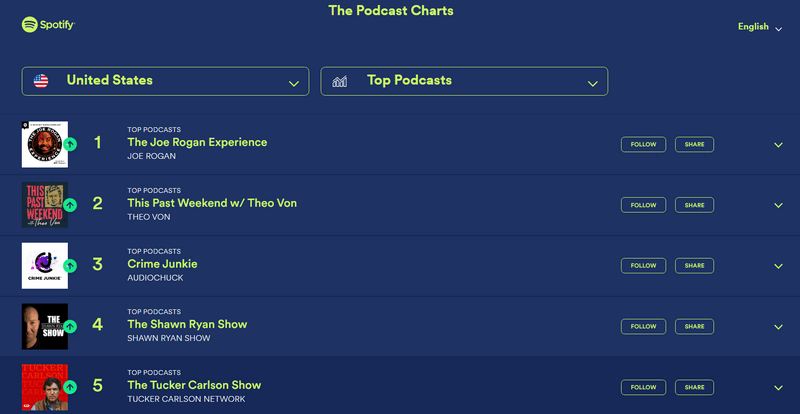
Since Spotify launched video podcasts in mid-2020, more and more creators have uploaded video content alongside the audio version. By the end of 2025, Spotify’s video podcast library includes has grown to nearly 500,000 shows. According to Spotify Wrapped statistics, nearly half of the top 50 most-listened to podcasts in 2025 have video available on the streaming platform. With both video and audio in podcast, you can build a deeper relationship with your favorite hosts. What's your most listened to video podcast on Spotify? Check out the podcast charts in your country and discover the most popular Spotify video podcasts.
Part 2: Download Video Podcast from Spotify on PC 🔥
Spotify video podcasts deliver a more engaging and immersive experience. Want to download several video podcasts on your PC and watch them offline during a trip? Unfortunately, the Spotify app can't help—Spotify's desktop version doesn't support downloading video podcasts, even with a Premium subscription. Luckily, Kigo Spotify Converter comes to the rescue, allowing you to download Spotify music video and video podcasts to your computer easily and efficiently for offline viewing anytime, anywhere.
| Spotify music | Spotify audiobook | Spotify podcast | Spotify music video | |
|---|---|---|---|---|
| Supported by Kigo | ✔️ | ✔️ | ✔️ | ✔️ |
Kigo Spotify Converter goes beyond a professional Spotify to MP3 converter—it's also a high-performance Spotify video podcast downloader. With just a few clicks, you can download Spotify video podcasts to MP4 on Windows or Mac at up to 10× speed, making offline viewing fast and effortless. Even better, your downloaded content stays with you, so there's no need to worry about episodes being removed from the platform in the future.

Best Kigo Spotify Video Podcast Downloader
- Download Spotify video podcasts and music videos in MP4 format.
- Convert Spotify music to ad-free MP3, AAC, FLAC, AIFF, WAV, or ALAC audio.
- Preserve lossless audio quality, ID3 tags, and lyric files.
- Enjoy up to 10× faster conversion speeds with batch downloads.
- Burn Spotify music to CD or export to iTunes with one click.
- Enable offline listening for both Spotify Free and Premium users.
Windows 11/10/8 Free Download
macOS 11 or later
Guide to download Spotify video podcast to MP4
- Step 1 Select Spotify Web Player Download Source
- Step 2 Find the video podcast on Spotify
- Step 3 Select the video podcast episodes
- Step 4 Start downloading Spotify video podcast
- Step 5 Find downloaded Spotify video podcast as MP4
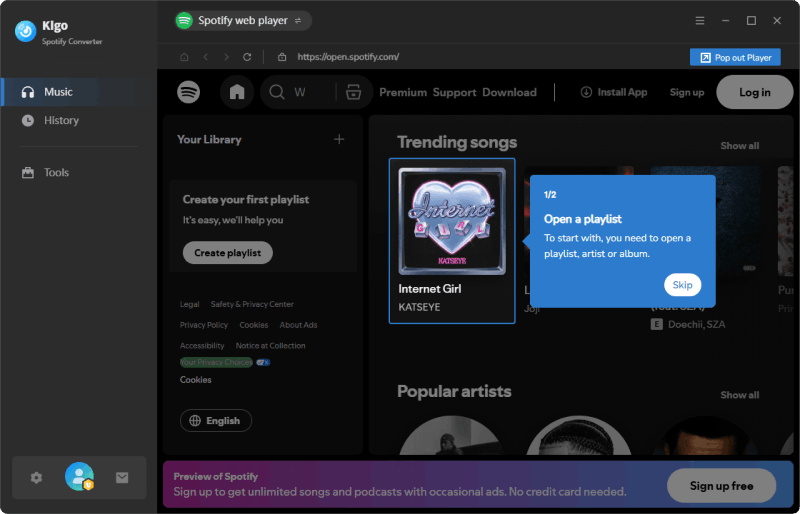
Download Kigo Spotify Converter using the download button above and install it on your computer. Once installed, open the application and switch to "Spotify web player" download source. Then log in to your Spotify account.
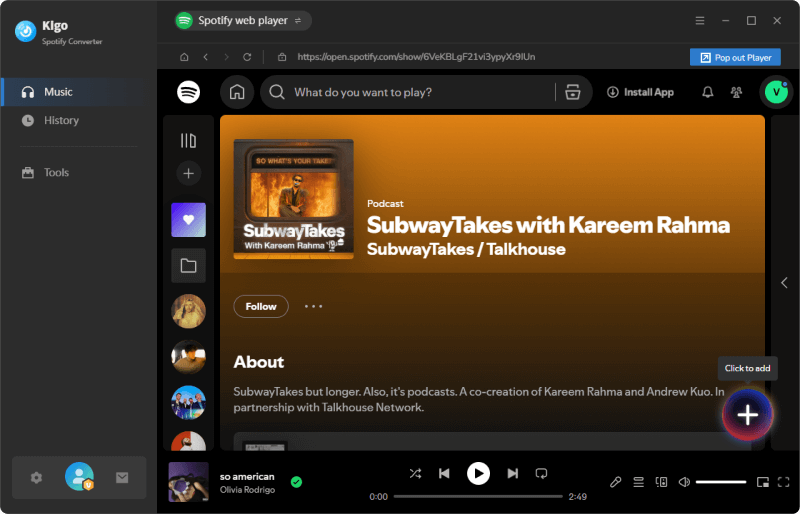
One of the benefits of using Kigo Spotify Music Converter is its built-in Spotify web player, which makes it easy to browse and search for the songs or video podcasts you want to download. Open a video podcast episode page, and you'll see a big "+" button in the lower-right corner. Click this Add button to let Kigo detect the video podcast.
You will see a list of available episodes for download. Select the ones you want to save as MP4, then click the "Add" button to confirm.
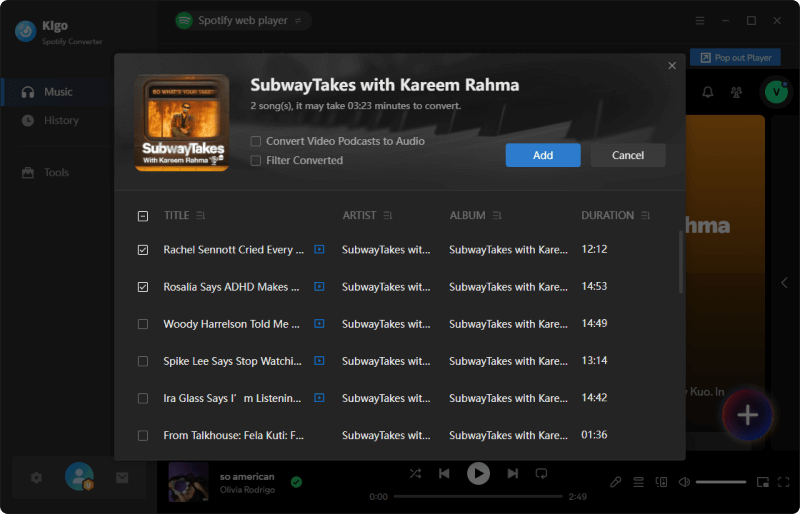
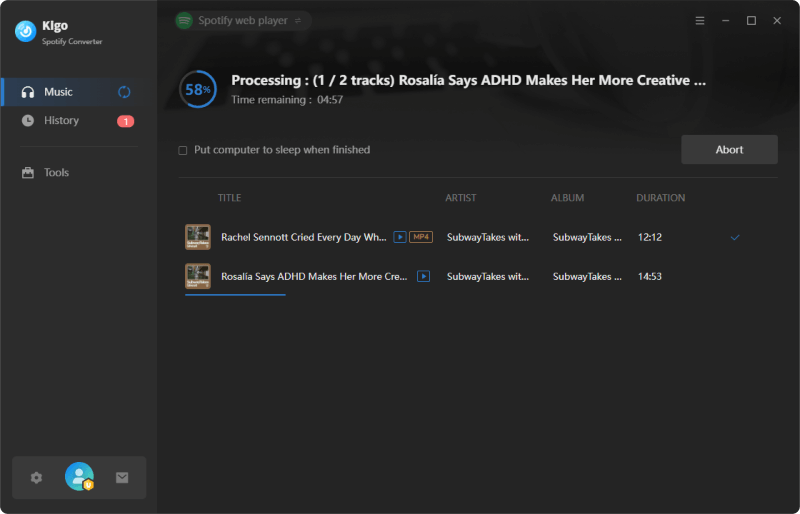
Once everything is set up, click the "Convert" button to start downloading your selected Spotify video podcasts as MP4 files. Kigo boosts download speeds up to 10× and supports batch conversion, so the entire process finishes in no time. You can even continue working on other tasks during the download, as the program runs quietly in the background.
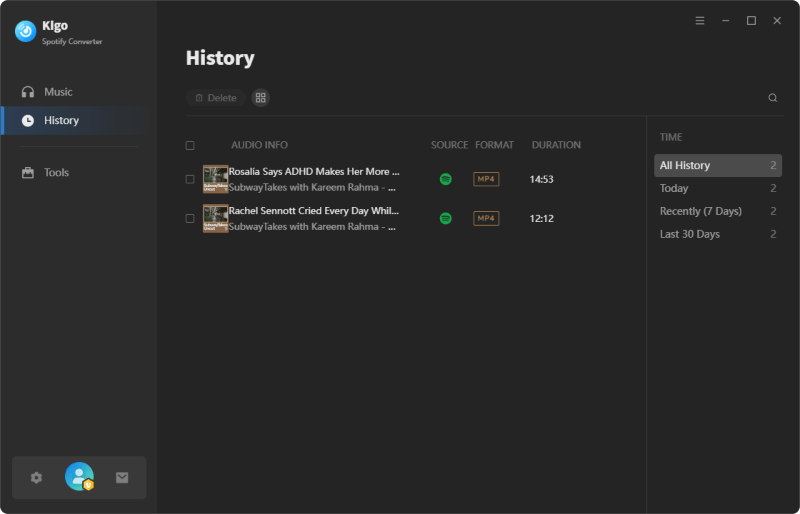
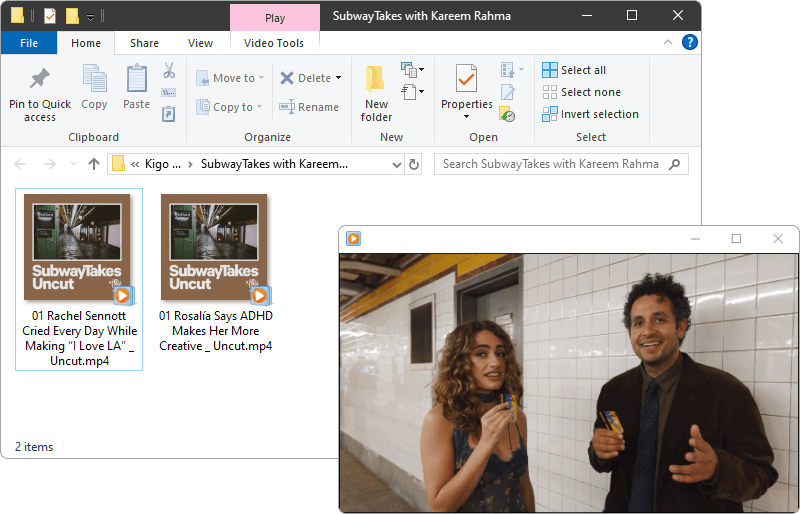
When the download is complete, go to History tab to view the record. Hover over the downloaded episode and click the folder icon to open the destination folder directly, where you'll find the MP4 version of the Spotify video podcast.
Part 3. Download Video Podcast from Spotify on Mobile Phone
With a valid Spotify Premium subscription, you are eligible to download Spotify video podcasts on your mobile phone for offline enjoyment. However, many users have reported issues, such as only audio being downloaded or the video not appearing. This happens because there are additional requirements that must be met to successfully download Spotify video podcasts on a mobile device. We've listed them below:
- Make sure you have a Spotify Premium account.
- Ensure you are using the latest version of the Spotify app.
- Ensure Spotify video podcast is available in your country. In some country the video for Spotify doesn't work.
- In Spotify app, click on Settings and privacy, go into Data-saving and offline tab and unselect "Audio-only downloads for video podcast".
Guide to download Spotify video podcast offline in Spotify app
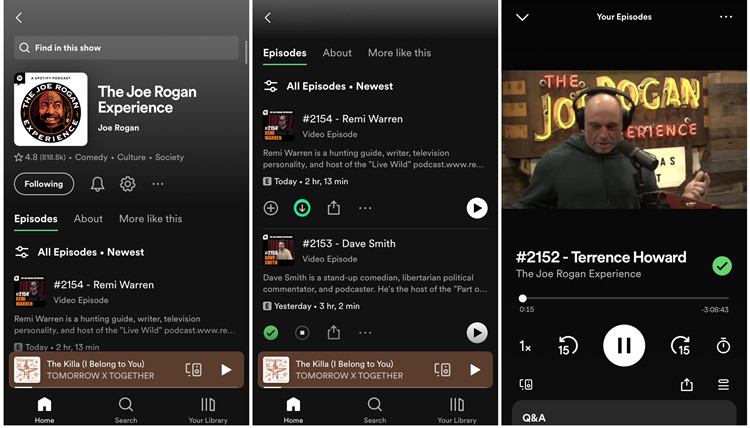
- Step 1 Open Spotify app on your phone and log in with your Premium account.
- Step 2 Find the video podcast you want to download.
- Step 3 Tap on the "Download" icon, and then Spotify will start downloading.
- Step 4 When the download is complete, you can find them by going to "Your Library" > "Your Episodes".
FAQs on Downloading Spotify Video Podcast
❓ Can I download video version of podcast from Spotify to MP4?
A: Yes. This can be done using a third-party Spotify downloader like Kigo Spotify Converter. The program saves Spotify video podcasts as MP4 files on your computer, allowing you to access them outside the Spotify app.
❓ How do I know if a podcast has video on Spotify?
A: It’s worth noting that not all podcasts and episodes have video available. If an episode has a video, the "Switch to Video" option will appear just below the cover photo. On Spotify, viewers need to enable video playback in their app settings, which some users may not be aware of.
❓ Can I download video podcasts on Spotify?
A: Yes. Spotify Premium subscribers can download Spotify video podcasts on mobile phone using the Spotify app. However, to download video podcasts from Spotify on a PC for offline watching, you need the help of Spotify video downloader like Kigo.
Conclusion
Video podcasting is becoming increasingly popular, as more people enjoy the visual aspect of Spotify podcasts, which allows for some emotional resonance that wouldn’t be possible without video. If you prefer watching Spotify video podcasts offline, downloading them to MP4 is the best solution. In this article, we’ve introduced the steps to download Spotify video podcasts on both PC and mobile devices. With a Spotify video downloader like Kigo Spotify Converter, you can not only export audio from Spotify podcasts in multiple formats, but also save the video versions of Spotify episodes to MP4 for playback on any device without limitations. Download Kigo Spotify Converter and start downloading your favorite Spotify video podcasts now!
Note: The trial version allows you to download the first 1 minute of each file. To access the full length, please unlock it with a valid license code.

Simon Durden | Editor-in-Chief
Simon Durden is the Editor-in-Chief at KigoSoft, specializing in music, video download and conversion. Before joining to KigoSoft, he served as a senior writer with the Any Video Converter Team. With extensive knowledge of music, video streaming platforms and expertise in video editing, Simon delivers high-quality content, expert tips, and in-depth tutorials in the multimedia field.