
2026 Top 7 Spotify Album Downloaders (Free, Online Tool Included)
Want to download your favorite Spotify albums for offline listening without worrying about access limits? Here are the best Spotify album downloaders worth trying.
While single tracks dominate everyday listening, full albums still hold special value—especially for audiophiles who want the complete musical experience. Even though Spotify Premium supports offline downloads, albums can only be played inside the app and require an active subscription. The good news is, with Spotify album downloader, you can download Spotify albums to MP3 and keep them locally for unlimited offline listening. Furthermore, you can add music from Spotify to CapCut or other video editing app as BGM for your creative projects.
There are many Spotify music downloaders available online. We have selected those capable of effectively downloading Spotify albums or playlists to MP3 for your reference. This includes both online Spotify album downloader tools and desktop Spotify album downloader applications. In this article, we will introduce each Spotify album downloader in detail and highlight the key factors to help you choose the right tool to download albums from Spotify.
Part 1. What Should You Look for in a Spotify Album Downloader? Key Factors
Compared to single songs, an album gives artists a platform for a more comprehensive artistic showcase and a fuller expression of their creative vision. Take Adele's album 21, for example—it explores the emotional aftermath of a failed relationship, including heartbreak, anger, forgiveness, and self-reflection. The 11 tracks show that heartbreak doesn't have to be monolithic. If you're looking for a tool to download Spotify albums from your favorite artists, here are five key factors you should consider.
- Audio quality. 128kbps~256kbps is fine for casual listeners, while 320kbps offers better sound clarity. Lossless audio provides the highest quality by preserving more details of the original track—something audiophiles will especially appreciate.
- Music metadata. Metadata is used to identify the content, including artist, track title, track number, genre and more. It’s especially important for organizing, locating, and playing your music easily across different devices at home.
- Audio format. MP3 is the most universal audio format and is compatible with nearly all digital devices, so exporting to MP3 is a basis. The more output options available, the better, especially support for lossless audio format like FLAC, ALAC, AIFF...
- Audio source.The same song may have different versions due to licensing changes, distributor re-uploads, or regional differences. To ensure you save the exact album version available on Spotify, the most reliable source is to download directly from Spotify.
- Efficiency.Since an album contains multiple tracks, a batch download feature is essential. It saves time and effort when downloading Spotify music albums. That greatly helps if you want to download a large number of tracks from Spotify.
💡 If you're in a hurry and want to download Spotify albums right away, you can give Kigo Spotify Converter a try. It is overall the best Spotify album downloader for everyday use.

Key Features of Kigo Spotify Converter
- Download Spotify track, album, playlist, podcast, radio, audiobook.
- Convert Spotify music to MP3, AAC, FLAC, AIFF, WAV, or ALAC audio.
- Keep 100% original audio quality; preserve ID3 tags, lyrics.
- Enjoy up to 10× faster conversion speeds with batch downloads.
- Burn Spotify music to CD or export to iTunes with one click.
- Enable offline listening for both Spotify Free and Premium users.
- Activate the permanent playback of Spotify music.
Windows 11/10/8 Free Download
macOS 11 or later
Part 2. Top 7 Best Free Spotify Album Downloaders (Online & Desktop Tools)
🥇 #1 Kigo Spotify Converter – The Lossless Spotify Album Downloader for Windows and Mac
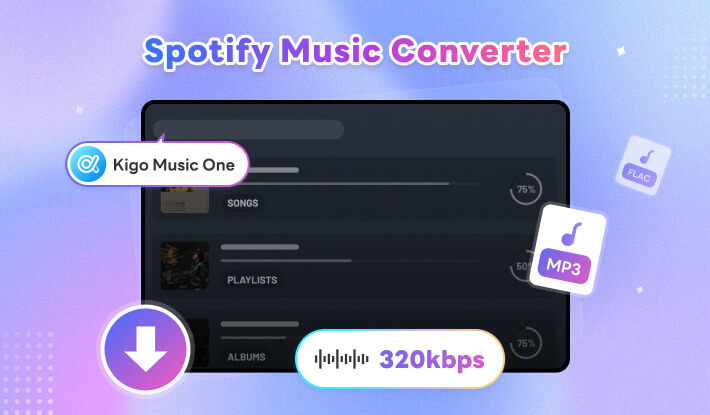
Kigo Spotify Converter is a professional Spotify music downloader, ideal for heavy users who want to save multiple Spotify albums locally and efficiently. It not only downloads Spotify albums and playlists to MP3, but also supports downloading podcasts, radio, and audiobooks to universal audio formats, including AAC, ALAC, WAV, FLAC, and AIFF—making it perfect for offline playback of any Spotify content. Powered by advanced technology, it extracts the highest audio quality from Spotify albums, supporting up to 320 kbps MP3 or lossless 24-bit FLAC output. It also preserves all track metadata, making it easier to organize and browse your music library.
How to download Spotify album to MP3 with Kigo Spotify Converter?
- Step 1 Download and install Kigo Spotify album downloader on your computer. Open the program and be ready for adding your desired Spotify album to download.
- Step 2 Choose the album you'd like to download on Spotify, then you will see a + icon at the right side, click the button to add the album to Kigo program preparing to download. By default, Kigo program would select all tracks included in the album, but if you don't want some, you can untick it.
- Step 3 Go to settings and adjust the output format, output quality for Spotify album downloading. With the flexible options, you are likely to save Spotify album as the way you prefer. For example, choose output format as MP3 and output quality as Very High 320kbps.
- Step 4 Click Convert button to start downloading Spotify album to MP3 in batch.
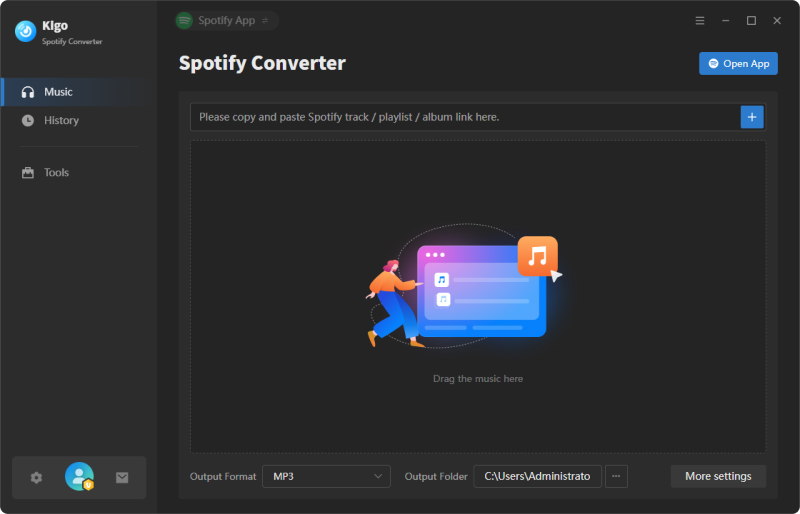
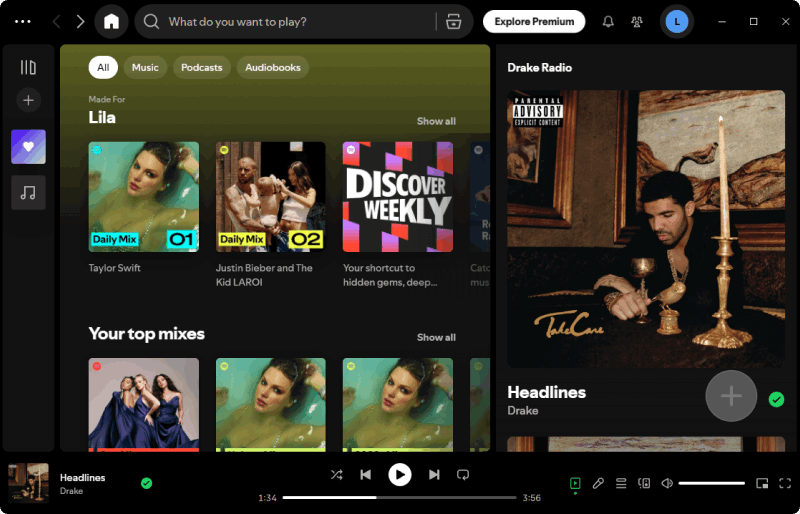
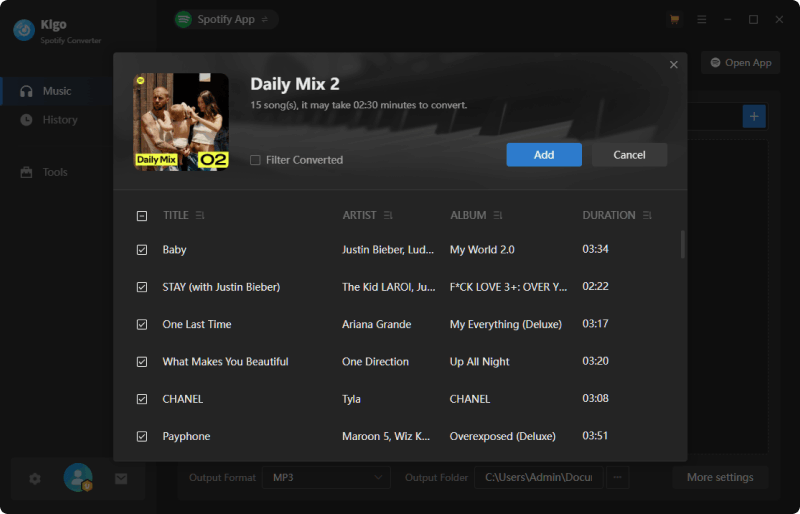
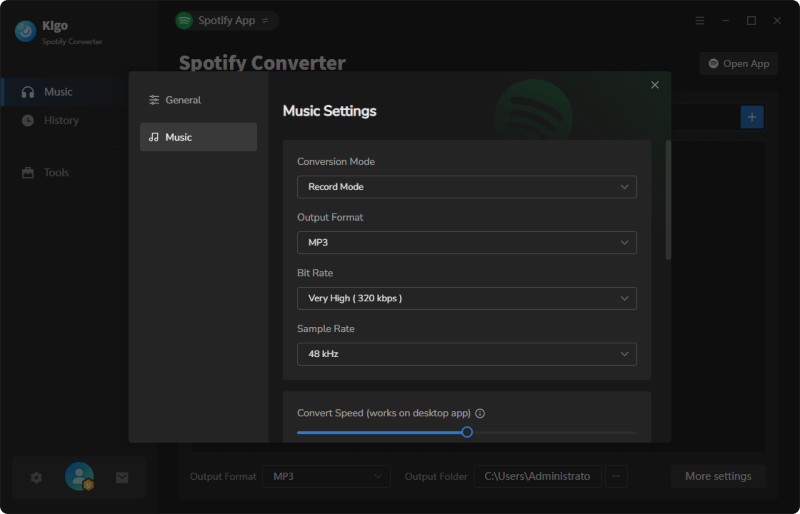
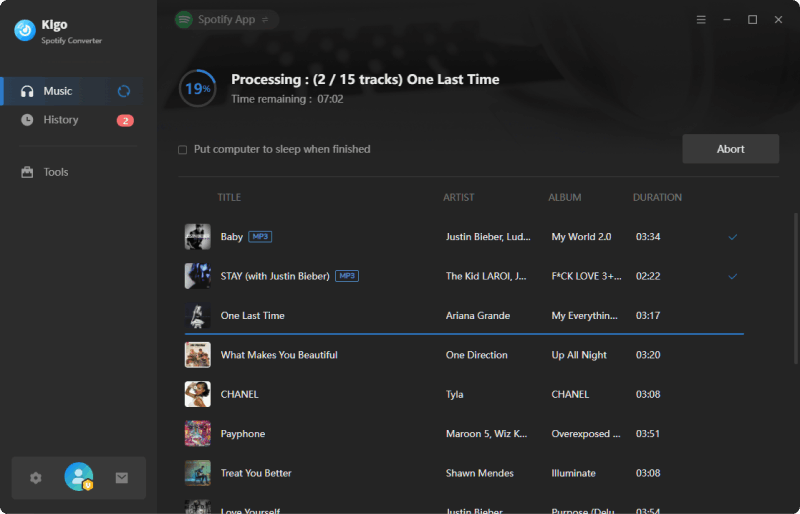
After the conversion is completed, you can find the downloaded Spotify album songs by navigating to History tab, where you an access the destination folder directly.
- Download Spotify album songs with lossless audio quality.
- Convert Spotify album to MP3, AAC, WAV, FLAC, AIFF, ALAC audio formats.
- Preserve lyrics and ID3 tags, including Artist, Title, Album, Track Number, Year, Disc Number, Artwork, etc.
- Offer free advanced tools such as ID3 tag editor, audio converter, CD burner and more.
- Stable performance and regular update.
- Don't support Linux operation system.
- Require a license to remove the trial limits.
#2. Sidify Music Converter Free – Desktop Fee Spotify Album MP3 Downloader
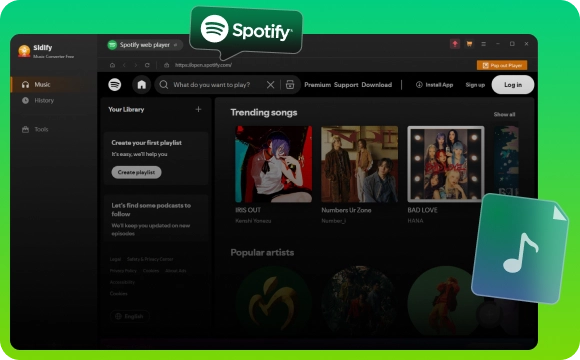
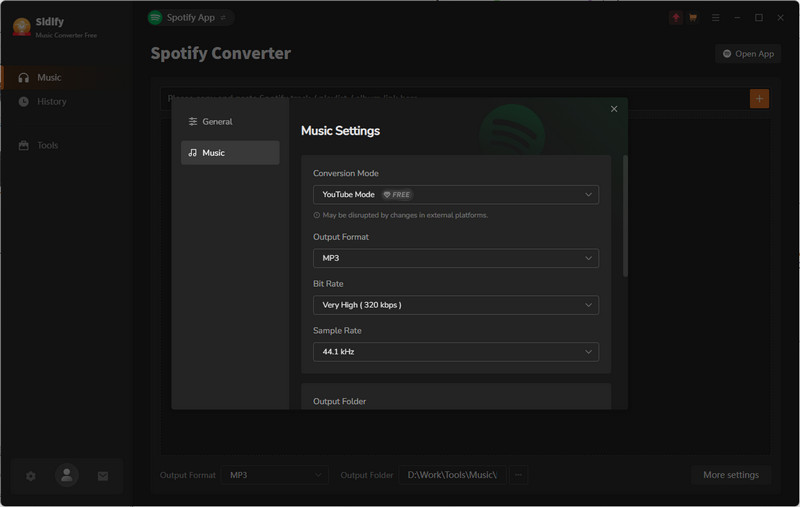
If you're looking for a free Spotify to MP3 converter for PC, Sidify Music Converter Free is an option worth considering. With its clean and user-friendly interface, it’s easy to browse, find, and add Spotify albums to the download queue for saving to your local computer. In addition to downloading Spotify albums to MP3, it also supports AAC output to meet different needs. However, its working principle is based on extracting audio from YouTube as the source. As a result, there's a chance that the album version you download may not be exactly the same as the one available on Spotify.
How to free download Spotify album on PC?
- Step 1 Launch the program on your Windows and open Spotify app.
- Step 2 Copy and paste the Spotify album link to the program for detecting.
- Step 3 Set output format as MP3 or AAC according to your needs in settings panel.
- Step 4 Download Spotify albums one by one and get MP3 version of Spotify album in predefined output folder.
- Free download Spotify album or playlist.
- Multiple audio output options, including MP3 and AAC.
- Offer some free tools for music conversion.
- Fast download speed.
- Windows version only, can’t work on Mac.
- Retain limited metadata of the track.
- Lossy output quality.
#3. Kigo Music One – A Versatile Album Downloader for Streaming Platforms
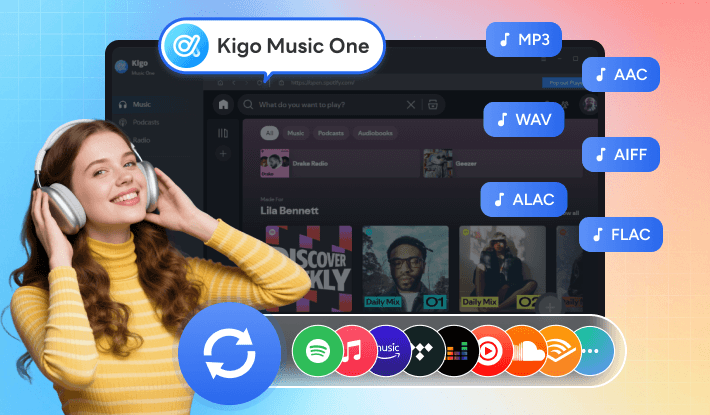
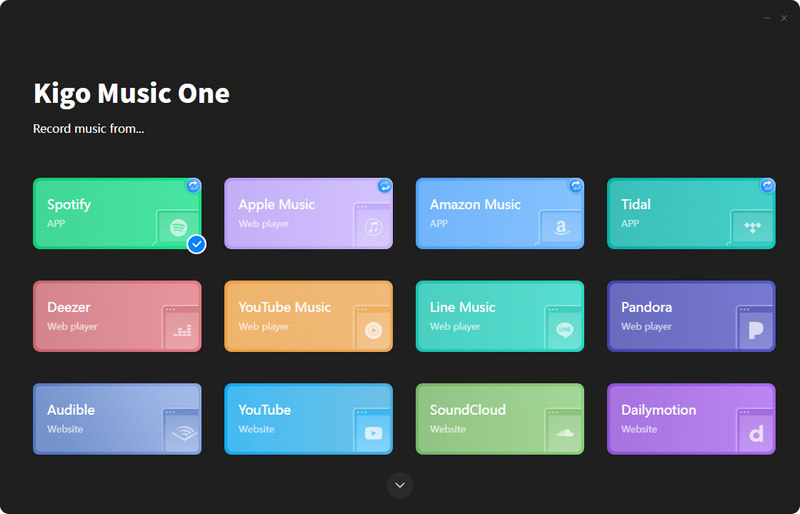
Although many artists collaborate with Spotify and release their albums on the platform for distribution, some albums may only be available on other streaming services such as Tidal, Apple Music, Amazon Music, SoundCloud, Qobuz. What if you want to download albums not only from Spotify but also from these platforms? Kigo Music One is designed to solve this problem. It works as a powerful Spotify album downloader and also serves as a versatile music downloader, allowing you to download your favorite songs from multiple popular streaming services in one place. With no compromise in quality, it preserves the original sound when saving music to your computer. It's an excellent choice for music enthusiasts who want to build and manage a personal music library.
How to use Kigo Music One to download Spotify albums?
- Step 1 Download, install Kigo Music One on your computer. Once launch the application, choose Spotify service on the main interface.
- Step 2 Add Spotify album link and select the tracks in the album that you want to download.
- Step 3 Go to settings and customize the output parameters such as output format, output quality, sample rate, speed and son on. To get Spotify album in 320kbps MP3, just choose MP3 as output format and set output quality as Very High 320kbps.
- Step 4 Start downloading Spotify album to MP3 in batch. Find the downloaded songs by going to History tab.
- Download albums from Spotify and other streaming platforms like Apple Music, Tidal and etc.
- Multiple output format options such as FLAC, ALAC, WAV, AIAC, AAC, MP3.
- Preserve ID3 tags such as artist, album, genre, artwork, track number and etc.
- Support high fidelity and lossless audio output.
- 48 languages supported.
- A bit expensive comparing to single Spotify album downloader.
- Can't work via browser.
#4. Spotisongdownloader – A Convenient Way to Download Spotify Playlist Zip
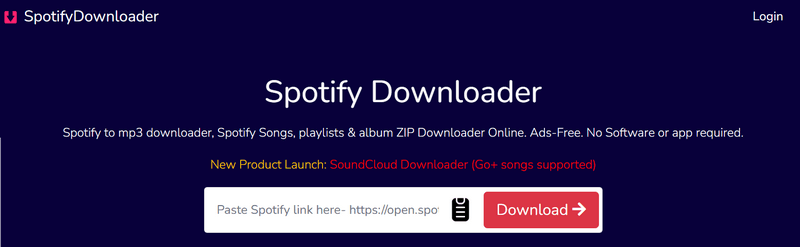
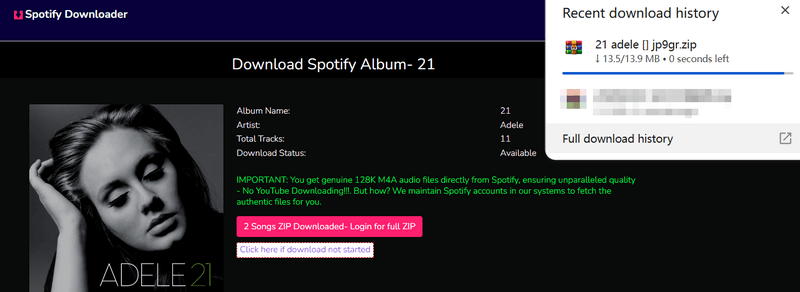
Spotisongdownloader is a web-based Spotify album ZIP downloader that allows you to save Spotify songs offline without installing any software. Simply copy and paste the Spotify album link into the website, and after a few clicks, it generates MP3 files and packages them into a ZIP file for download. It offers output options such as MP3 and WAV, allowing you to download Spotify albums in MP3 at up to 320 kbps or export them in M4A format at 128 kbps. However, based on our testing, only the first two tracks of an album can be downloaded without creating an account. For the rest, you’ll need to download them one by one.
How to download Spotify album in zip with Spotify music link downloader online?
- Step 1 Open Spotify Web or App and find the album or playlist you want to save.
- Step 2 Copy and paste the URL of the Spotify album into the input field on SpotiSongDL. The website would open a new window which displays the tracks of the Spotify album after 2-3 seconds.
- Step 3 Click "Download ZIP" and select the output quality ranging from 128kbps to 320kbps. The download process will then begin. Be aware that you have to create an account and login in to download the full ZIP file. Or you can click "Generate Download Links" button next to each track to download songs one by one.
- Export Spotify album to MP3 and M4A audio formats.
- Save Spotify music at up to 320kbps MP3 audio.
- Work on Windows PC, Mac, Android, and iOS devices.
- Require log in to download Spotify album zip.
- The ZIP folder name is unclear, making it difficult to identify the downloaded file.
#5. Spotidownloader – Online Free Spotify Album Downloader to MP3
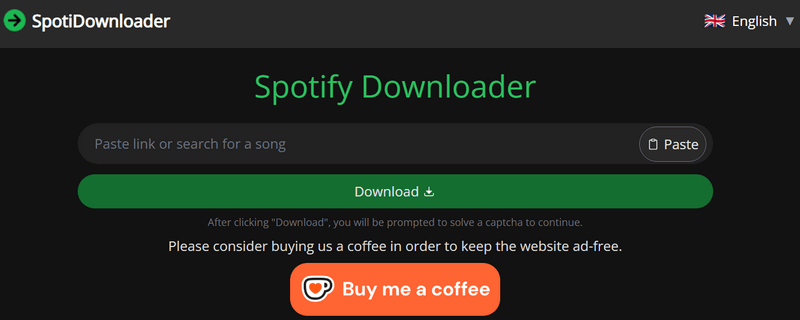
With no need to install any software or create an account, Spotidownloader is ideal for users looking to download Spotify songs or albums online. Formerly known as SpotifyDown, it allows you to download songs, albums, or playlists to MP3 for free. For Spotify album MP3 downloads, it offers a "Download ZIP" option, which functions as a batch downloader and saves all tracks from an album into a single folder. While the website interface is simple and easy to use, there are pop-up ads and page redirections during the download process, which may pose potential risks to your device. (Is it safe and legal to use? --> Read SpotiDownloader Full Review)
How to download Spotify album to MP3 with Spotidownloader?
- Step 1 Launch Spotify app, open the album you'd like to download in MP3, then click three dots > Share > Copy link to Album.
- Step 2 Visit the Spotidownloader album downloader online site, and paste the above URL to the input field.
- Step 3 Complete CAPTCHA and wait for some seconds for processing the link and display the album details.
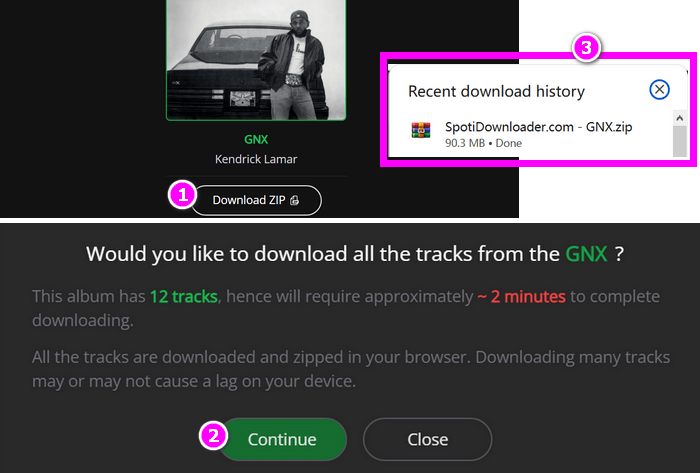
- Step 4 Click the "Download ZIP" button. A window will pop up asking if you would like to download all the tracks from the album. Click "Continue." The download will begin.
- Free download Spotify album in zip.
- Retain certain metadata such as year, artist.
- No requirement for creating account.
- Performance is unstable, certain song may end up being corrupted.
- Output MP3 name extension is 'websitename - title – artist' which is unable to change. Ads are distracting.
Try Kigo Spotify Converter to Save your Spotify Albums!
Convert Spotify songs to 320kbps MP3. Retain ID3 tags & lyrics. 10X conversion speed.6. SPOTIDOWN.app – Spotify Album Downloader Free with ZIP Support
SPOTIDOWN is a free online Spotify to MP3 downloader that allows users to download Spotify tracks, albums, and playlists directly through a web browser. It supports downloading multiple tracks at once and conveniently packages albums or playlists into a ZIP file for easy downloading. The downloaded MP3 files also retain useful metadata, including the song title, album name, and cover art, making it easier to organize your music library. However, since the website fetches audio from sources such as YouTube, the downloaded tracks may not always match the exact versions available on Spotify.
How to free download Spotify album songs online in batch?
- Step 1 Open Spotify Web and search for the album you want to download. Click the three dots, then click "Share", and click "Copy link to Album."
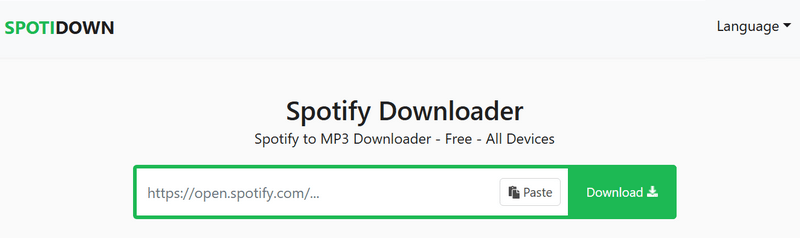
- Step 2 Visit the SpotiDown website in your browser. Paste the album URL into the input box on the site.
- Step 3 Click "Download" and wait for the service to fetch the songs. It may take some seconds.
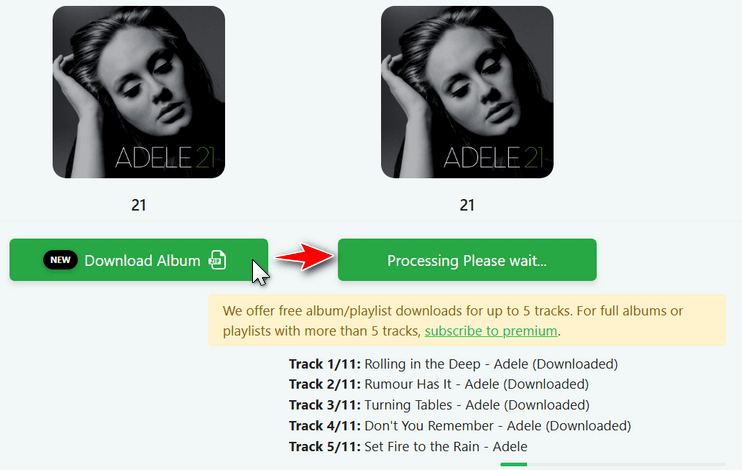
- Step 4 Click "Download Album" to save the Spotify album as a zip file on your device. Please note that you are required to upgrade to premium to save all tracks in the album, or you can just download songs no more than five tracks.
- Free download Spotify songs, albums to MP3.
- Retain ID3 tags like song title, album name, and year.
- Download HD album art cover for free.
- Download speed is fast.
- Ads may pop out during the downloading process.
- Premium account required to unlock full album downloads.
- Downloaded tracks include a "SpotiDown.app" suffix in the filename.
#7. Spotdown.org – Free Download Spotify Album from Link
SpotDown is another one of the free online Spotify song downloaders that allows you to download Spotify tracks, albums, and playlists using a link. It also offers a convenient search feature that lets you find artists and download the tracks you want. The website is ad-free and does not require users to create an account, making it a safe and convenient option for saving Spotify songs to your device. However, it does not support batch downloads, which means you need to download songs from an album one by one.
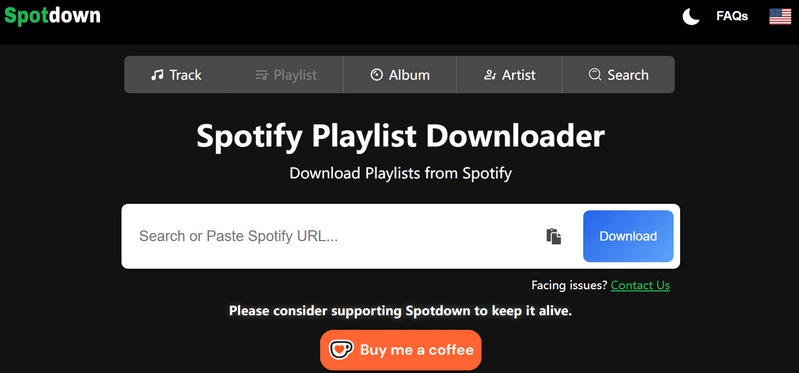
How to download Spotify album from link?
- Step 1 Open your Spotify song or playlist, and copy the album link.
- Step 2 Go to Spotdown website, paste the copied album URL into the input box.
- Step 3 Click "Download" > "Download All Songs" button. Please note that once you click the Download buttons, you may be redirected to other webpages. Simply skip these pages to avoid misleading content. The tracks in the album will then be downloaded one by one.
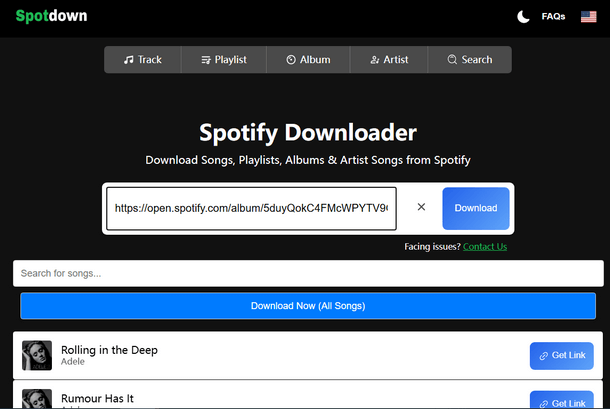
- Download songs by either pasting Spotify album URL or using the built-in search feature with keywords.
- Convert Spotify albums to MP3 for free.
- Accessible on phones, tablets, laptops, desktops via browser.
- Output to 128kbps lossly MP3 audio.
- You may have to go through 2–3 redirects before the MP3 download starts.
- Don't support batch downloading.
Part 3: Comparison Among Top Spotify Playlist Downloaders 🆚
| Tools | Download formats | Audio quality | Batch downloads | Complete metadata | Ad-free | Stability |
|---|---|---|---|---|---|---|
| 🥇Kigo Spotify Converter | MP3, AAC, FLAC, WAV, AIFF, ALAC | Original quality (Lossless) | ✔️ | ✔️ (title, album, artist, artwork, track number, Disc number, year, conver art, etc) | ✔️ | |
| Sidify Music Converter Free | MP3, AAC | 128kbps | ✔️ | ⚠️ title, artist and cover art | ✔️ | |
| 🌟 Kigo Music One | MP3, AAC, FLAC, WAV, AIFF, ALAC. | Original quality (Lossless) | ✔️ | ✔️ (title, album, artist, artwork, track number, Disc number, year, conver art, etc) | ✔️ | |
| SpotiSongDL | MP3, M4A | 128kbps ~ 320kbps | ✔️ | ❌ | ✔️ | |
| Spotidownloader | MP3 | 320kbps | ✔️ | ⚠️ year, artist | ❌ | |
| SPOTIDOWN | MP3 | 128kbps | ✔️ | ⚠️ title, album name, and year | ❌ | |
| Spotdown | MP3 | 128kbps | ❌ | ❌ | ❌ |
Conclusion
When it comes to downloading Spotify albums, the goal is not just to get the files, but to keep everything intact—audio quality, metadata, and the original album experience. With the seven Spotify album downloaders introduced above, you can either download Spotify albums online or save them using desktop applications. So, which is the best Spotify album downloaderfor you? We recommend considering key factors such as audio quality, metadata preservation, audio source, download efficiency, and stability.
Among all the Spotify album MP3 downloaders reviewed, Kigo Spotify Converter stands out for its ability to preserve the original Spotify album sound quality (up to 320 kbps MP3 or lossless FLAC), retain complete ID3 tags, and support multiple output formats for different needs. It also offers up to 10× conversion speed with batch downloading, making it highly efficient for downloading full albums. With regular updates and a user-friendly design, it is a reliable and easy-to-use Spotify album downloader for saving your favorite Spotify albums and enjoying them offline anytime.
Note: The trial version allows you to download the first 1 minute of each file. To access the full length, please unlock it with a valid license code.

Simon Durden | Editor-in-Chief
Simon Durden is the Editor-in-Chief at KigoSoft, specializing in music, video download and conversion. Before joining to KigoSoft, he served as a senior writer with the Any Video Converter Team. With extensive knowledge of music, video streaming platforms and expertise in video editing, Simon delivers high-quality content, expert tips, and in-depth tutorials in the multimedia field.