
Download YouTube to MP3 Safely: 9 Trusted Converters in 2026
Is EzMP3 a safe YouTube to MP3 website? I'm trying to download MP3 from YouTube video, are there any safe YouTube to MP3 converter that I can use?
When you paste a YouTube link into an online MP3 converter and click the Download button, instead of starting the YouTube MP3 download process, pop-up ads often overflow the screen—or you may even be redirected to unknown websites. This is a common issue that many users face when trying to download YouTube videos as MP3s.
If you're tired of pop-up ads and risky redirects, check out our list of safe YouTube to MP3 download sites and the editor's top picks for 2026. We highlight each site's features, speed, audio quality, ease of use, and limitations, helping you make informed choices while avoiding websites that could compromise your security or waste your time. Curious whether EzMP3 is safe to use? Find out the answer in this post.
🏆 Editor's Top Pick: Kigo Music One - 100% Safe and High-quality YouTube to MP3 Converter
⭐ Kigo Music One is overall the best option for anyone who expects to download YouTube videos to MP3 safely, reliably and in stunning high-quality up to 320kbps. 🔗 Link: https://www.kigosoft.com/music-one/
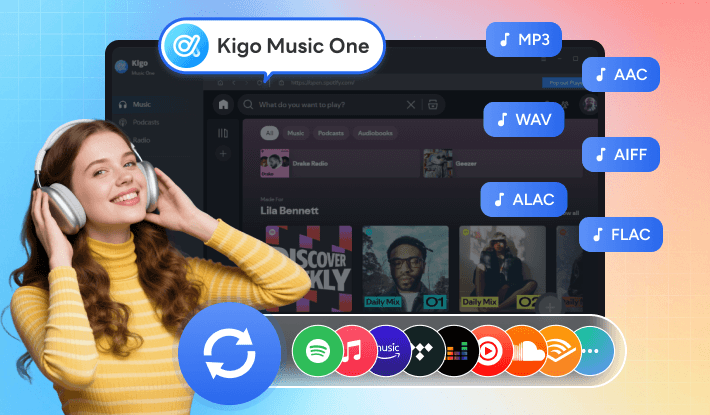
By passing rigorously scans from renowned antivirus programs such as Norton, McAfee, and Bitdefender, Kigo Music One is verified to be safe and free from viruses, malware, and other security threats. You can download and use it with complete confidence.
Kigo Music One records the original audio from YouTube, giving you 256kbps AAC audio (YouTube's native quality), equivalent to high-quality 320kbps MP3, keeping every track crystal clear. Unlike other downloaders, Kigo Music One offers versatile output formats (MP3, AAC, WAV, FLAC, AIFF, and ALAC), supports batch downloads for entire playlists, preserves full ID3 tags for easy organization, and allows you to download music from major streaming platforms such as Spotify, Apple Music, Amazon Music, Tidal, Deezer, YouTube Music, SoundCloud, etc. It also has a handy toolbox, which is convenient for audio conversion, editing, or transferring.

Key Features of Best Kigo YouTube to MP3 Converter
- Download MP3 from YouTube, YouTube Music and YouTube Shorts.
- Keep best YouTube quality (up to 320kbps) with full ID3 tags.
- Batch download YouTube videos at 10X faster speed.
- Support various output: MP3, AAC, WAV, FLAC, AIFF, and ALAC.
- Extract MP3 from Spotify, Apple Music, Tidal, Amazon Music and etc.
- Allow listening, downloading, converting, and transferring music in one tool.
- 100% secure and safe. Regular update with technical support.
Windows 11/10/8/7 Free Download
macOS 11 or later
How to Convert YouTube to MP3 Safely with Kigo Music One?
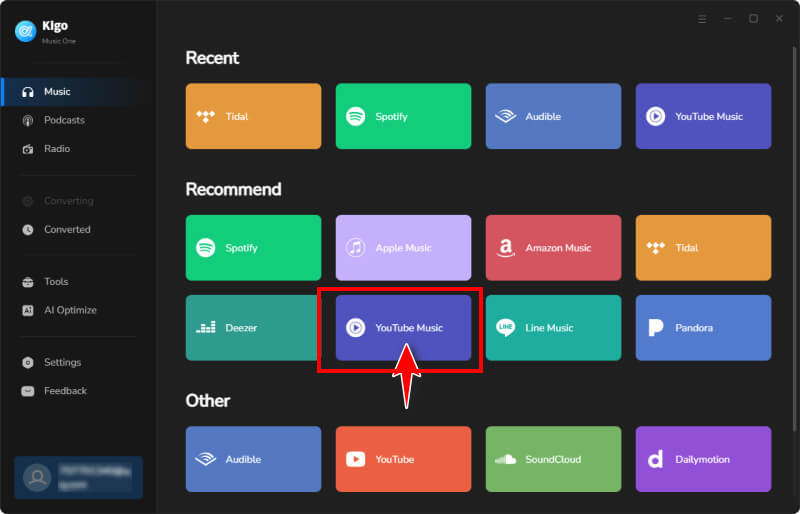
- Step 1 Download the program to your computer for free. It's approximately 5MB, making it very lightweight and quick to install. Launch the program, and you'll see a list of popular music streaming services supported for downloading music. For this example, choose YouTube.
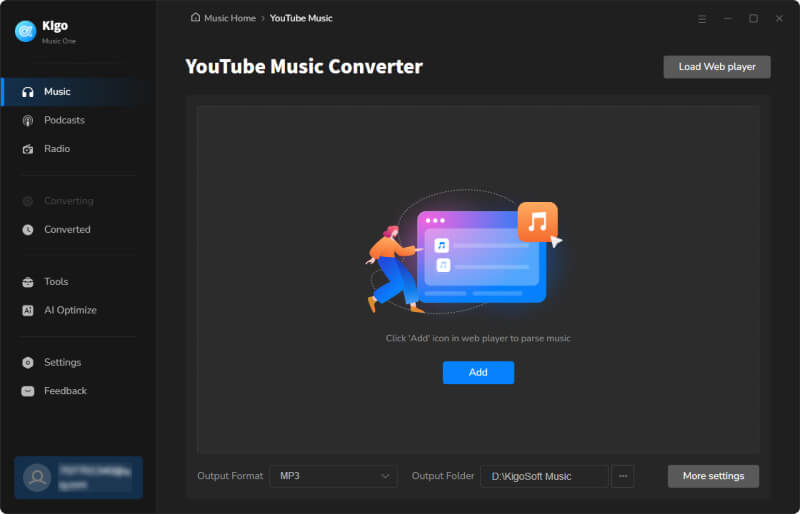
- Step 2 Choose output format as MP3 or other audio format depending on your needs. Click More settings to customize the output quality, file name, folder location, and other options.
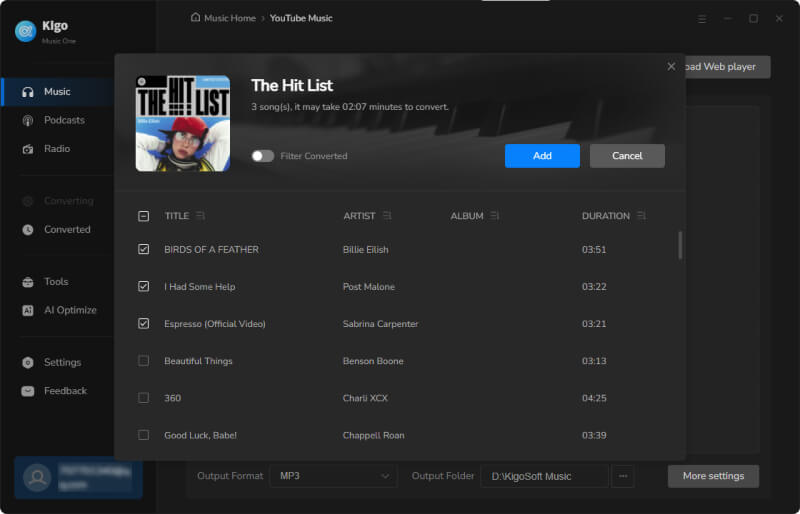
- Step 3 Browse and find the YouTube videos you want to download as MP3, then click "+Add" to import them into Kigo Music One. By clicking the "Add More" button, you can add additional videos without affecting your previous selections.
- Step 4 Click "Convert" to start downloading YouTube videos to MP3 safely and efficiently. Once the download is complete, you can find your files in the "History" section on the left. Clicking the Folder icon next to a file will take you directly to its destination location. These audio files are true 320kbps high-quality tracks.
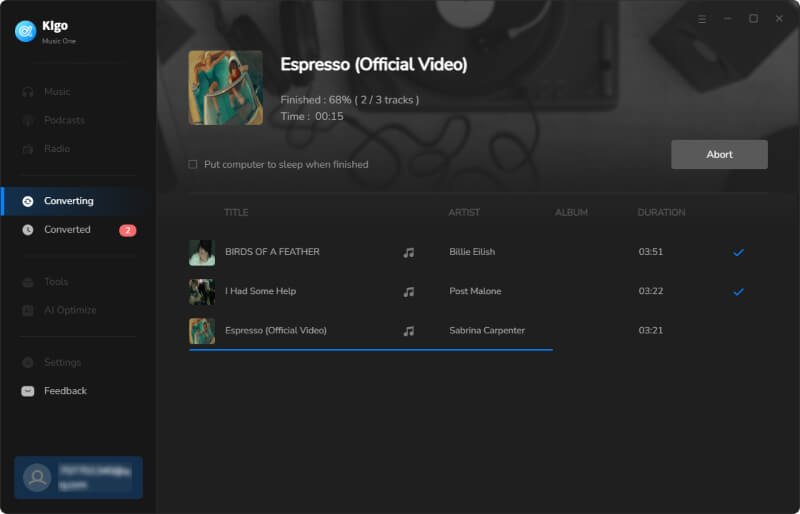
Part 2: Comparison Chart Among Safe YouTube to MP3 Download Sites 🆚
There are over 100 YouTube to MP3 converter sites online that claim to be the best. In reality, some are loaded with ads, some are fake, some export audio in low 128kbps quality, and some even output ZIP or APK files instead of MP3—often a sign of malware or Trojan threats. Safety, quality, and functionality are all critical when downloading MP3s from YouTube videos. After extensive testing, we've narrowed the list of safe YouTube to MP3 sites in 2026 down to 9 and compared them based on key features. See Section 3 for details.
| Tool | Supported Format | Max Bitrate | Batch Downloads | Safety Score | Additional Feature |
|---|---|---|---|---|---|
| Kigo Music One | MP3, AAC, WAV, FLAC, AIFF, ALAC | 320kbps | ✔️ | Support YouTube Music and many more streaming sites, stable & fast | |
| YTMP3 | MP3, MP4 | 192kbps | ❌ | Fast download speed | |
| EzMP3 | MP3 | 320kbps | ❌ | Trim audio | |
| Y2mate | MP3, MP4 | 320kbps | ❌ | Support download from YouTube, Facebook, TikTok, Instagram, Dailymotion, Youku | |
| FLVTO | MP3 | 128kbps | ❌ | / | |
| SAVEMP3 | MP3 | 128kbps | ❌ | Trim audio, support 8 sites | |
| MP3Juices | MP3, MP4 | 320kbps | ❌ | Search by title and URL | |
| YT1s | MP3, M4A | 320kbps | ❌ | / | |
| OnlyMP3 | MP3 | 128kbps | ❌ | Upload the MP3 files to your DropBox account |
Part 3: Online Safe YouTube to MP3 Download Sites of 2026 📋
1. YTMP3
🔗 Link: https://yt2mp3.sc/
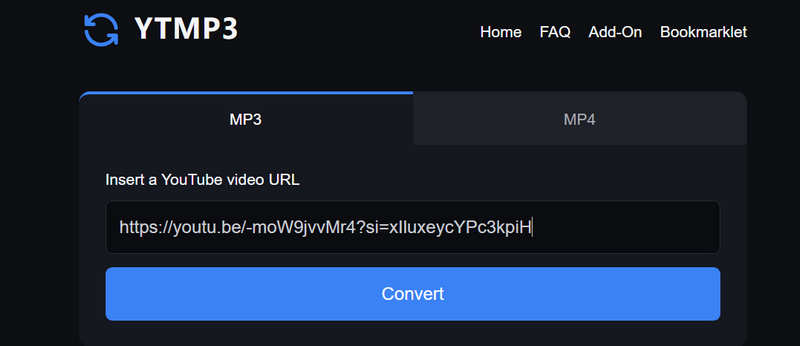
YTMP3 is one of the most popular online sites for converting YouTube videos to MP3 or MP4 formats for free. To use it, select MP3, paste the YouTube video link, and click 'Convert' to start. YTMP3 will initialize the conversion, check and extract the video, and complete the process in a few seconds. Click 'Download' to save the audio file to your Downloads folder. Note that a new browser tab may also open—simply close it. There is no option to change the audio quality, and based on our tests, it provides audio at up to 192kbps.
- Downloads YouTube videos as MP3 audio files or MP4 video files.
- Web-based service accessible via any browser.
- No ads, no malware risks, and no registration required.
- No bitrate option; audio quality is limited to 192kbps.
- Cannot download YouTube videos longer than 1.5 hours.
- Does not support YouTube live streams, age-restricted, or private videos.
2. EzMP3 (EzConv -> EzRip)
🔗 Link: https://ezrip.net
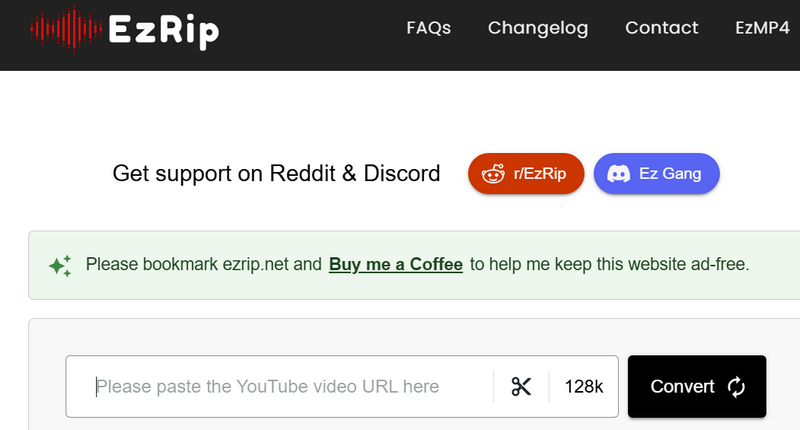
Launched in 2024, EzMP3 is a clean online YouTube to MP3 converter that allows users to paste a YouTube video link and conveniently get an MP3 output. Relying on user donations, it offers a friendly experience with no ads or redirections. The original website was ezmp3.cc, but it later changed to ezconv.cc and is now ezrip.net. EzMP3 provides audio quality options ranging from 64kbps to 320kbps, letting you balance file size and sound clarity to suit your needs.
- Works on any device.
- Contains no third-party scripts or pop-up ads.
- Supports downloading from YouTube at flexible audio quality.
- Offers an audio trimming feature.
- Converts most videos in under 30 seconds.
- Domain name may change for unknown reasons, making it somewhat unstable.
- Does not support YouTube live streams, age-restricted videos, or clips.
- Reports error (Application error: a client-side exception has occurred.) when choosing 256kbps and 320kbps quality output.
3. Y2mate
🔗 Link: https://v19.www-y2mate.com/
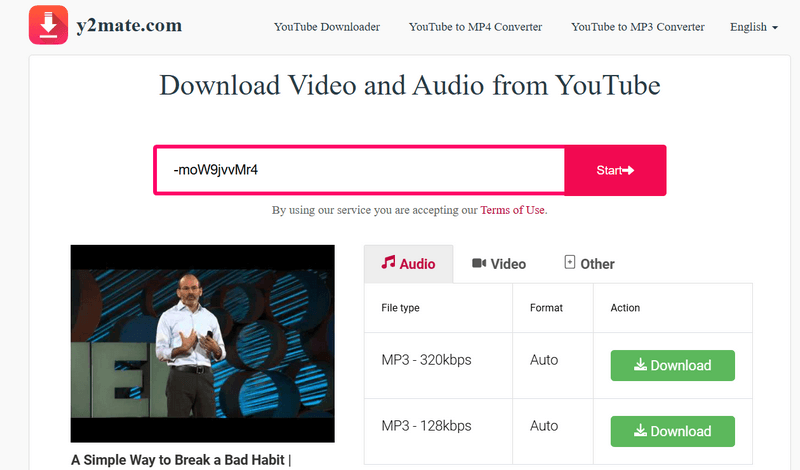
Y2mate is a popular online YouTube downloader, widely used by those who prefer a quick, browser-based solution for converting YouTube videos to MP3 or MP4. It provides a free and straightforward way to download audio in various qualities—up to 320kbps for MP3—and video from 144p up to 1080p for MP4. Simply paste a YouTube link into the input box and click Start, and Y2mate will display the available download options instantly. Select your desired format and click Download to proceed. Be aware that occasional redirections may occur; simply close them to avoid any potential risks.
- Free and fast YouTube to MP3 and MP4 downloader.
- Supports downloading from Facebook, Instagram, and more.
- Offers multiple output quality options.
- Available in 21 languages.
- Domain name changes frequently, making it unstable.
- Occasional redirections during the download process.
- Batch downloads are not supported.
4. FLVTO
🔗 Link: https://flvto.link/
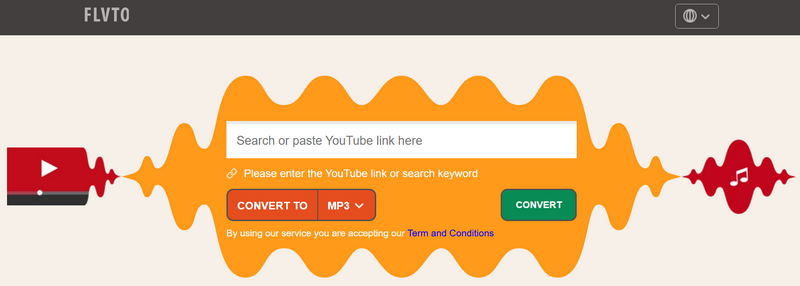
Some users consider FLVTO as an option for downloading YouTube videos to MP3 and often ask, "Is FLVTO safe?" FLVTO uses SSL encryption to protect your data from malware and viruses, and its simple, intuitive interface makes it easy to download MP3s from YouTube. However, there are some limitations: it only offers 128kbps audio quality, and after detecting the pasted YouTube link, it displays multiple download buttons, which can be confusing for users trying to select the correct MP3 file.
- Free YouTube to MP3 downloads.
- No installation or sign-up required.
- Compatible with browsers such as Safari, Chrome, Firefox, and Edge.
- Available in 8 languages.
- Redirects to other websites when clicking the Convert button.
- Misleading download buttons may lead to unsafe sites.
- No audio quality options.
- Batch downloads are not supported.
5. SAVEMP3
🔗 Link: https://savemp3.net/
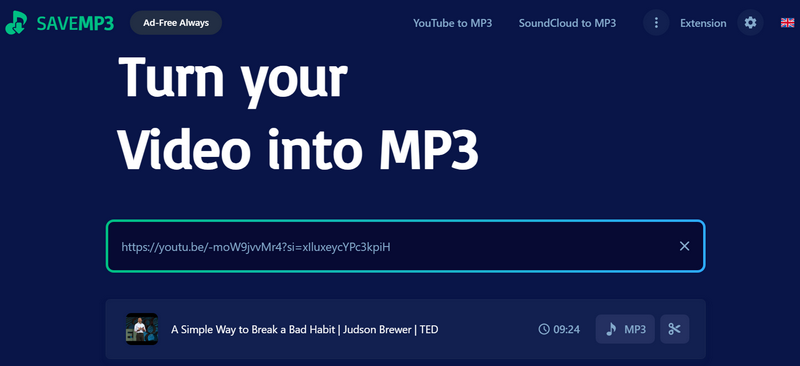
SAVEMP3 is an ad-free YouTube to MP3 downloader that works on all major browsers. In addition to YouTube, it supports converting videos from TikTok, Vimeo, Instagram, Twitter, Facebook, SoundCloud, and VK. Once SAVEMP3 detects a YouTube link, it displays the video's title, length, an MP3 button, and a trim icon. If you only want part of the audio, simply adjust the markers to cut the section you need. Click MP3, and the conversion completes seamlessly. The web version defaults to 128kbps audio, but installing the SAVEMP3 browser extension allows you to download up to 320kbps quality.
- Completely clean and safe YouTube to MP3 download.
- Supports downloading YouTube video, channel and playlist.
- Offers a Chrome extension for enhanced functionality.
- Available in 24 languages.
- Limited to 3 downloads per hour.
- Default audio quality is 128kbps.
- Playlist results are limited.
6. MP3Juices
🔗 Link: https://v3.mp3juices.click/
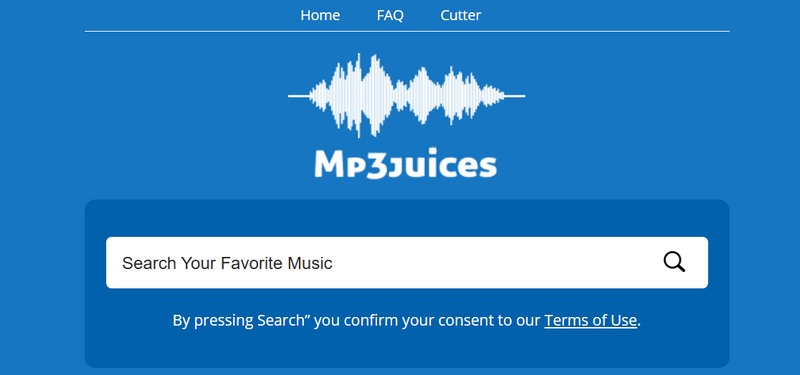
MP3juices is a popular free MP3 download site. It not only converts YouTube videos to MP3, but also functions as a search engine, allowing you to find music by name or URL and convert it to MP3. When you paste a YouTube video URL, MP3juices displays the search results, offering MP3, MP4, and Play options. To download a video as MP3, click MP3, then choose your preferred audio quality, up to 320kbps. You can use the Play button to preview the track, as multiple versions may appear based on your search query. Be cautious, as the site displays some fake Download buttons—make sure to click the correct one to avoid unsafe links.
- Free YouTube to MP3 downloads without registration.
- Supports both MP3 audio and MP4 video downloads.
- Allows searching for music by title or URL.
- Downloaded audio may vary in quality depending on the source.
- Some YouTube URLs may fail to parse.
- Misleading download buttons may lead to unsafe sites.
7. YT1s
🔗 Link: https://yt1s.com.co/en203/
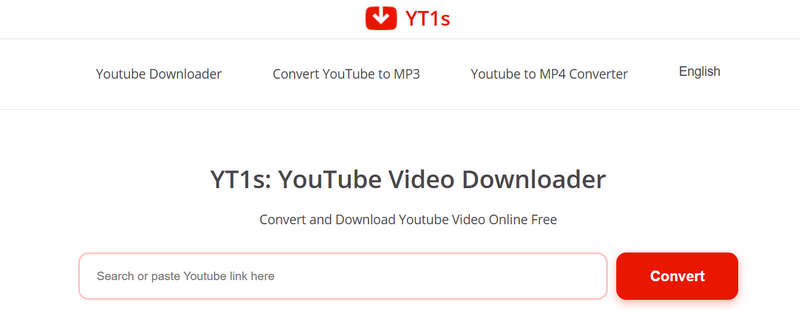
YT1s is a free online YouTube downloader that supports both MP3 and MP4 formats and works on various devices and operating systems. When you paste a YouTube URL, it automatically detects the video and displays multiple MP3 download options, providing flexibility for users with different internet speeds and storage capacities. In addition to MP3, it also supports conversion to M4A. Please note that each time you click a button, you may be redirected to other websites. The final MP3 download typically occurs after 2–3 redirections. We recommend using Incognito mode to help protect your personal information during the process.
- Simple and easy-to-use.
- Lists available quality options for download, up to 320kbps.
- Supports both MP3 and M4A audio downloads.
- Clicking the Download or Close button redirects to other websites.
- YouTube Music videos may fail to fetch.
- No metadata is retained.
Try Kigo Music One to Download All Your Favorite Songs!
Download tracks, albums, playlists from music sites as MP3, AAC, FLAC files in batch. NO quality loss!8. OnlyMP3
🔗 Link: https://en.onlymp3.io/
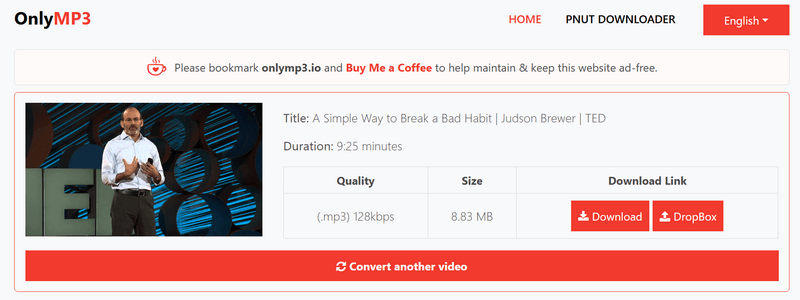
Many YouTube-to-MP3 converters limit videos to 1 or 2 hours, but OnlyMP3 allows downloading MP3s from videos up to 6 hours long. It is a safe YouTube to MP3 converter site, protected by WAF and SSL certificates, and the entire download process has no pop-ups or redirections, ensuring your privacy and safety. After fetching the YouTube video, OnlyMP3 provides two options: download as MP3 or upload to Dropbox for cloud storage. Please note that it only downloads at 128kbps, which may be too low for users seeking higher audio quality.
- Converts YouTube videos to MP3 with one click.
- Dropbox integration for direct cloud saving.
- Unlimited YouTube video downloads.
- Supports downloading long videos up to 6 hours.
- Downloads MP3s at 128kbps by default.
- No playlist or batch download support.
Part 4: FAQs about Safe YouTube to MP3 Websites
❓ Is it risky to convert YouTube to MP3 online?
Yes, using online YouTube to MP3 download sites can be risky. The main dangers are pop-up ads and redirects that may expose your personal information to third-party advertisers, and fake download buttons that can deliver malware or viruses instead of MP3 files. Reputable desktop tools like Kigo Music One offer a safe alternative for downloading YouTube videos to MP3.
❓ How can I tell if a YouTube to MP3 download site is safe?
You can often identify whether a YouTube to MP3 download site is safe by checking these signs:
- HTTPS Connection – Make sure the website uses HTTPS, not HTTP. A secure connection protects your data and reduces the risk of malware.
- No Pop-ups or Suspicious Interface – Unsafe sites often bombard you with pop-ups, ads, or confusing buttons. A clean, straightforward interface is usually safer.
- Permission Requests – Be cautious if the site asks for unnecessary permissions, such as location, contacts or access to your device. Legitimate converters rarely need these.
While these tips help you judge safety at first glance, quality and functionality are also important. To save your time and avoid risks, we recommend checking our post, which provides a detailed list of safe YouTube to MP3 sites with their features, quality options, and so on.
❓ Can I get 320kbps quality when downloading YouTube video to MP3?
Many online YouTube to MP3 download sites provides low-quality 128kbps MP3 output. While sites like EzMP3, Y2mate, MP3Juices, and YT1s claim to support up to 320kbps, they often lack proper metadata. Desktop converters like Kigo Music One, on the other hand, offer multiple bitrate options, support lossless formats such as WAV, ALAC, AIFF and FLAC, and preserve ID3 tags for a complete, high-quality audio experience.
❓ Can I download a full YouTube playlist to MP3?
Most online converters only allow single-video downloads. Even if you paste a YouTube playlist, full playlist downloads are not supported. In our tests, only Kigo Music One can batch download entire YouTube playlists, saving significant time.
Conclusion
There are hundreds of YouTube to MP3 converter sites, but truly safe options are rare. We've compiled the top 9 tools to help you download YouTube videos to MP3 safely for offline listening. For each, we’ve outlined pros, cons, features, and limitations to help you choose the right one. From our tests, Kigo Music One stands out as the best choice, offering 320kbps MP3 audio, multiple output formats, batch downloads, and the ability to download music, albums, and playlists from major streaming platforms. With no ads, redirects, or malware, Kigo Music One lets you save your favorite YouTube content worry-free.
Note: The trial version allows you to download the first 1 minute of each file. To access the full length, please unlock it with a valid license code.

Simon Durden | Editor-in-Chief
Simon Durden is the Editor-in-Chief at KigoSoft, specializing in music, video download and conversion. Before joining to KigoSoft, he served as a senior writer with the Any Video Converter Team. With extensive knowledge of music, video streaming platforms and expertise in video editing, Simon delivers high-quality content, expert tips, and in-depth tutorials in the multimedia field.